

Darwin you can boot.
PureDarwin writes the pieces Apple leaves out, and everything else it takes to reach a desktop. Apple publishes the kernel and a large amount of userland, but never the parts that turn Darwin into a system: no bootloader, no modern launchd, few drivers.
Documentation
How the build works, what lives where, how an image is assembled, per-target status, a porting guide and a debugging guide.
HandbookContribute
Development happens on the next branch. Packaging is the most useful place
to start, and the contribution policy explains what we accept and why.
Community
Development happens in the open. Ask questions, watch the work, or chip in.
News
-
August 23, 2026The Road to 20.5.0
-
January 3, 2026Remembering Cliff Sekel (InsaneDarwin)
-
February 24, 2025Support Cliff Sekel: PureDarwin's Lead Developer
What works today
PureDarwin boots to a shell on four targets. A fifth, the ARMv6 Pi Zero, reaches userspace but not yet a prompt.
- x86_64 QEMU and real hardware. The release target.
- arm64, QEMU virt Boots to a shell; Xorg starts.
- Raspberry Pi 3 arm64, on real hardware.
- iPad 6 (T8010) Via checkm8 and PongoOS, on the device's own display.
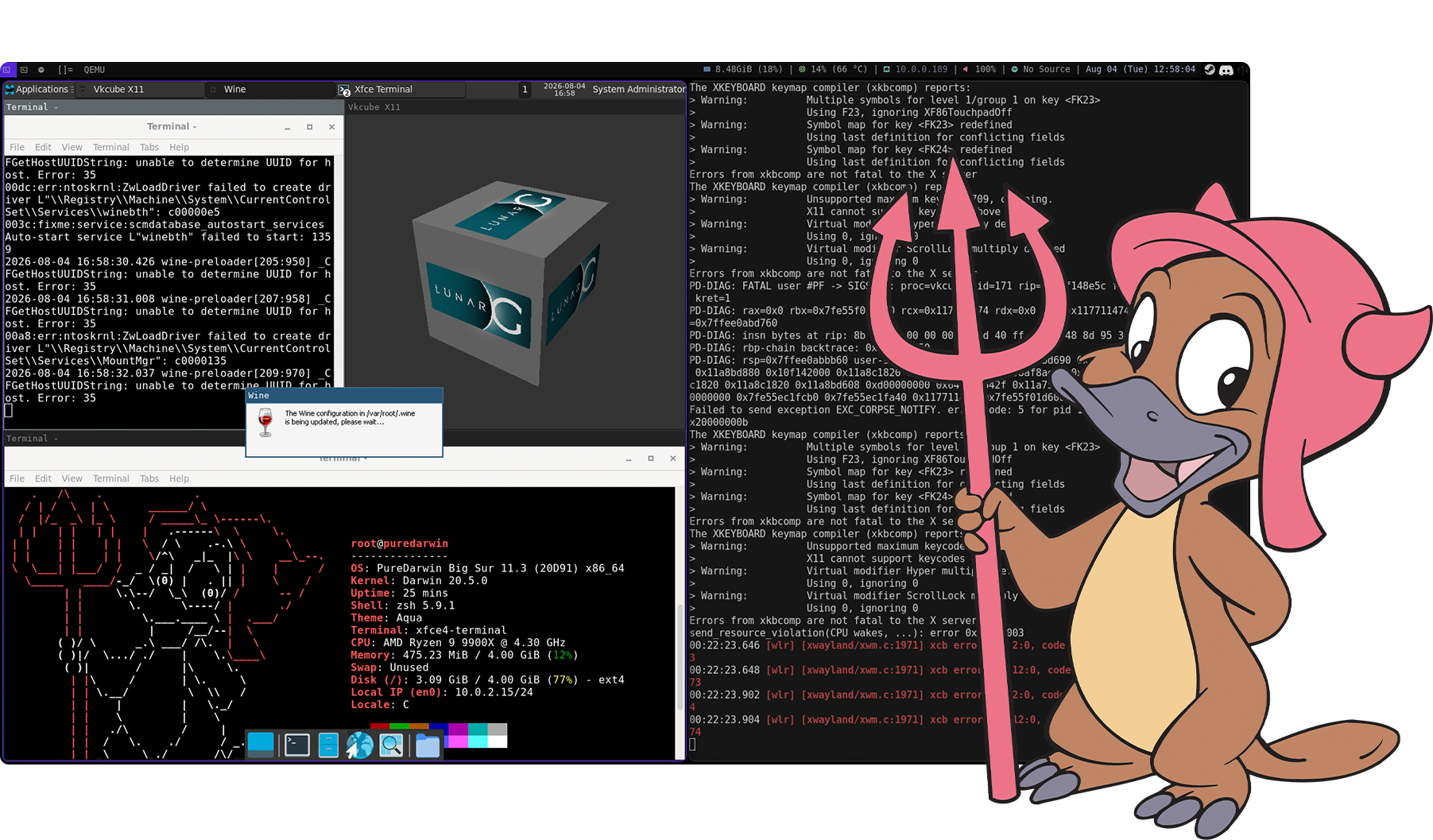
On x86_64 that means an ext4 root, DHCP end to end, a real Xorg server, Wayland through sway and wlroots, Xfce, Wine running GUI applications, and a compiler toolchain that runs on PureDarwin itself.
Full status matrix, per targetGet it
These are previews, not a release. They are development images, they will have bugs, and they should not be treated as a stable version of anything. PureDarwin 20.5.0 is the release being worked towards; see the roadmap.
-
puredarwin.img The full x86_64 system: X11, Wayland, Xfce, Wine, toolchains. 6.1 GiB 5970582305ef495f046b55720711ee8d7065e00d8a56dbc55bd765887502a50b
-
puredarwin-minimal.img Small x86_64 image, the one used for most boot testing. 262 MiB ef65a816395680ef9210f401cebe3783c131badca1a942cb80e56bec97e717ac
-
puredarwin-acpi-experimental.img Full image with the experimental ACPI platform. 6.1 GiB 1167f703cf84ac7af0e108776f2d156a4f5149c860fae98ae256cb8e2547ff31
-
puredarwin-minimal-acpi-experimental.img Minimal image with the experimental ACPI platform. 262 MiB f1f158ee4782b03b7119898fea1c4f7ff5dd147d93ab5a3dfc47f54b1766db05
-
puredarwin-arm64-virt.img Full arm64 image for the QEMU virt machine. 3.1 GiB 584d9f2601f58079d7bafa307499662a48dfc558cbac7f0fc04c0c143892fb2c
-
puredarwin-arm64-virt-minimal.img Small arm64 virt image, the one used for most boot testing. 578 MiB 351de0f7611f34912653f5fc9e685eba7d5b1724fb502993a59b8f4eebbcc218
-
puredarwin-arm64-rpi3-shell.mp4 Video: PureDarwin booting to a shell on a Raspberry Pi 3. 46 MiB 39693de5db495a945436d8a80da9da64e7d8434f40aaa3a28c714a138337610e
The SHA-256 above each download is of the file as served. The same list is at
SHA256SUMS, so you can check a
download with sha256sum -c SHA256SUMS --ignore-missing.
Or build it yourself
Nix is the build system. On a Linux host with flakes enabled:
nix-store --add-fixed sha256 /path/to/MacOSX11.3.sdk.tar.xz
nix build .#image-minimal
nix run .#vm
Apple's SDK is proprietary and cannot be redistributed, so you have to supply that file yourself. Removing that requirement is on the roadmap.
Getting Started, in fullFrequently asked questions
What is Darwin?
Darwin is the open-source core of macOS and iOS: the XNU kernel plus a large part of the Unix userland, published by Apple under the Apple Public Source License. Every Mac and iPhone runs on it, but Apple only ships it as source code, not as an operating system you can install.
What is PureDarwin, and what is it not?
PureDarwin is a community project that turns Apple's Darwin releases into a standalone, bootable operating system, writing the missing pieces ourselves: bootloader, drivers, init, and a desktop. It is not macOS, not a macOS clone, and not affiliated with or endorsed by Apple. There are no proprietary Apple binaries in our images.
What can I actually do with it?
Boot a real Darwin system in QEMU or on hardware, get a shell, run an Xfce desktop over X11 or Wayland, compile software with the on-system toolchain, and explore how the XNU kernel works outside of macOS. It is a system for developers and the curious, not a daily driver — see what works today.
Can it run macOS or iOS apps?
No. Graphical macOS and iOS apps need frameworks Apple never open-sourced, like AppKit and UIKit, so they cannot run here. Command-line Darwin binaries and open-source software generally can, and Wine even runs Windows GUI applications on the desktop. Ironically, Windows apps work; Mac apps do not.
Is it free? Can I contribute?
Yes. Everything we write is open source, and Apple's code stays under the APSL. Development happens in the open on GitHub; packaging is the most useful place to start, and the contribution guide explains the rest.